






System-to-system integrations are automated connections between two or more software platforms that let data move between them without anyone copying, pasting or exporting a thing. Most B2B marketing and sales teams already have plenty of them. The real question is whether yours were designed or just piled up over time as an afterthought.
You've probably felt the difference. Like when your sales team walks into the pipeline meeting with a spreadsheet that doesn't match the CRM, or a demo request lands in your marketing automation platform on Friday yet doesn't reach a rep until Tuesday. Nobody broke anything; it's simply that the tools were never synced, properly or otherwise.
We've previously walked through CRM integration services for HubSpot and how to pick the right connector for a single job. Now, we're surveying the whole stack: how system-to-system integrations work, which architecture fits a growing MarTech ecosystem and how to design one that holds up as you scale.
About System-to-System Integrations
System-to-system integrations (often shortened to S2S integrations) are automated links between business systems — your CRM platform, marketing automation, ERP systems, billing and webinar tools — that exchange data and trigger actions without human intervention, promoting seamless communication across your stack. They replace the export-upload-reconcile routine with a standing connection that runs quietly in the background. When it works, marketing and sales teams can trust dashboards without double-checking them.
How System-to-System Integrations Work
Think of an integration as a standing instruction between two coworkers: Whenever a deal closes, send finance the details. No reminder email or Slack nudge: It just happens. Every integration between different systems runs on the same three-part loop:
- Event trigger: Something happens in one system — a form fill, a deal stage change, a new invoice.
- Data transfer: The integration packages relevant data and sends it to the connected system, usually through APIs or web services.
- Automated response: The receiving system acts on it by creating a record, updating a field or enrolling a contact in a workflow.
Depending on how it's built, that loop can run in real-time or on a scheduled sync, enabling data to reach each downstream tool without anyone clicking their mouse.
Types of System Integration Architecture
There's more than one way to wire a stack together. Making a thoughtful decision up front can make subsequent tool purchases less painful later.
|
Architecture Type |
How It Works |
Best For |
Watch Out For |
|
Point-to-point |
Each tool connects directly to every tool it shares data with |
Small stacks with one or two simple syncs |
Scales poorly; every new tool adds connections to build, monitor and maintain |
|
Hub-and-spoke |
Every tool connects to a centralized platform (typically your CRM) that acts as the system of record |
Growing MarTech stacks; HubSpot-centered teams |
Requires upfront architecture planning and a clearly defined system of record |
|
iPaaS (integration platform as a service) |
A middleware layer orchestrates multi-step data flows and acts as a data transformation service between tools |
Complex field mapping, conditional logic, multi-system workflows |
Adds another platform to pay for, govern and monitor |
|
Custom API |
A built-to-spec connection, written in custom code around unique business logic |
Complex, non-standard data flows |
Higher build and maintenance cost |
Consider this: Fully connecting 10 tools through point-to-point connections can take up to 45 separate links. Route them through a hub and it remains just 10. Meaning, fewer connections to build, monitor and fix, which can add up to significant cost savings over the life of your stack.
That's why hub-and-spoke tends to be the right call for B2B MarTech: HubSpot sits at the center, every team reads from the same records, and iPaaS or custom API work plugs into the hub wherever native connectors fall short, which is exactly where our CRM integration services typically come in.
Other Common System Integration Methods
Search for ‘system integration methods’ and you'll land on plenty of IT-focused guides covering a few other approaches. They're worth knowing, if only so you can recognize them in a vendor pitch.
- Star integration: Every system connects directly to every other system. Basically, point-to-point taken to its messy extreme. The connections between system components multiply with each new tool, which is why it's often known as "spaghetti integration."
- Horizontal integration (enterprise service bus): An ESB sits between systems as a shared layer facilitating communication, translating messages so each system needs only one connection. It's an older middleware pattern built to connect legacy systems inside larger on-premise environments. For most cloud-based MarTech stacks, iPaaS now fills that role.
- Enterprise application integration (EAI): The umbrella term for connecting an organization's applications so they share data and processes. Hub-and-spoke, ESB and iPaaS all fall under the EAI banner.
- Electronic data interchange (EDI): A standard for exchanging business documents, purchase orders, invoices, shipping notices, etc., between companies in a common data format. It's a form of B2B integration, most important when your CRM needs to talk to partner or supplier systems.
- Hybrid integration platform: Integration software that connects cloud apps and on-premise systems in one place, typically for organizations running older ERP platforms alongside a more current MarTech stack.
Different system integration methods fit different integration scenarios. For a HubSpot-centered B2B team, hub-and-spoke with iPaaS where you need it covers the vast majority.
Integration Architecture’s Importance for MarTech Ecosystems
Here's an uncomfortable truth: most companies never design their MarTech stack. They accumulate it.
Marketing buys a webinar platform. Sales adds a sales management system. Someone wires billing to the CRM over a long weekend.
Each decision makes sense in the moment, but together they create a web of disparate systems connected in ways no one ever mapped. The symptoms show up in lifecycle stages that disagree across tools, attribution that credits the wrong channel, and one person who spends Monday morning reconciling CSVs. That workaround is dependent on a person to keep the process running, so if they leave the company, the bandage does, too.
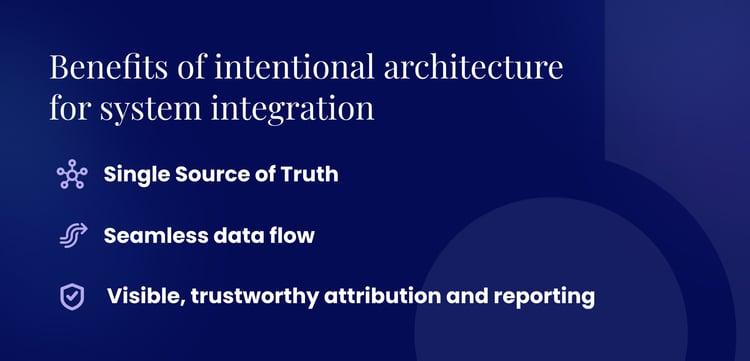
Intentional architecture is where the benefits of system integration actually get realized.
- First, you get a single source of truth: Marketing, sales and service all work from a unified view of the same customer record, so nobody argues about whose number is right.
- Second, data flows seamlessly between integrated systems, and data accuracy stops depending on whoever's running the export at 4:45 on a Friday. That's the foundation of real RevOps data automation — the kind of operational efficiency that frees your team to act on data instead of babysitting it.
- Third, attribution and reporting become reliable, because every system draws from the same records rather than its own version.
The end goal is a unified system: integrated components that behave like one platform, where all the subsystems function as a single revenue engine.
Designing a Connected MarTech Ecosystem
You don't need to rip and replace your existing systems to get this right. You need a system integration process that maps your technology to the business processes it's supposed to support. Here's the four-step framework we use:
- Map your current data flows. Every integration process starts with an inventory. Identify each of your organization's systems that creates, stores or uses customer data. Note where data currently moves automatically across multiple systems and where a human is still moving it by hand. Flag those manual handoffs.
- Define your system of record. Decide which platform is the authoritative source of truth for each data type, including contacts, deals and activities. This is the core idea behind master data management, and for most B2B teams, HubSpot serves this role across marketing and sales.
- Choose the right integration type for each connection. Native integrations and their pre-built connectors handle most standard use cases. Use iPaaS for complex field mapping or logic; reserve custom builds for gaps nothing else can fill. Matching the integration method to the job keeps you from overbuilding simple syncs or underbuilding important ones.
- Build for governance from day one. Document every integration project: what it does, who owns it, which security protocols it follows and what should happen if it breaks.
Kuno Tip: Pick one real lead and trace it end to end — from first form fill to closed-won. Every point where someone has to move data by hand is an integration waiting to be designed.
[Graphic to illustrate form fill to closed won to visually show the integration]
Common System Integration Challenges – and How To Avoid Them
Most headaches in system integration projects are business problems dressed up in a technical costume.
- Data quality gaps going in. Integrations move data between systems, so if your source data is inconsistent, incomplete or stored in mismatched data formats, the integration only serves to spread the mess around.
This is the most common reason integrations underperform. Clean and standardize core fields before you connect anything, so every system receives consistent data. - Unmanaged point-to-point sprawl. Many teams start with a few direct connections and never audit them as the stack grows. The result is a tangle of integrations nobody fully understands.
Schedule an integration audit at least once a year and retire anything that no longer works. - Ownership gaps. When nobody is clearly responsible for the integration layer, issues in critical systems go undetected until sales or leadership notices something's off.
Assign a named owner for every integration — especially anything touching critical business data — and make monitoring part of their job.
Building Integration Solutions With a RevOps Partner
At Kuno, connected stacks are the work we do every day. As an accredited Diamond HubSpot Solutions Partner, we work as both strategist and system integrator for B2B teams.
Our system integration services span integration architecture from the ground up. We build HubSpot-centered stacks that scale with your business through a RevOps foundation — lifecycle stages, data governance, attribution and reporting — that makes all those connections pay off in pipeline and accelerated revenue.
If your stack is almost-but-not-quite working, take a look at our revenue operations solutions and let's map what a connected ecosystem can do for you.


Caren Merida