






Most HubSpot integration stacks weren't designed so much as accumulated. A marketplace app gets installed to solve one problem, workflows get built on top of it to solve the next and a year later the original choice is shaping — and possibly even limiting — how you run your business.
It's time to zoom out and look at your decision-making process. WebOps conversations should weigh the gap between what a native integration can do and what your workflows really demand before deciding whether custom integrations are worth the investment.
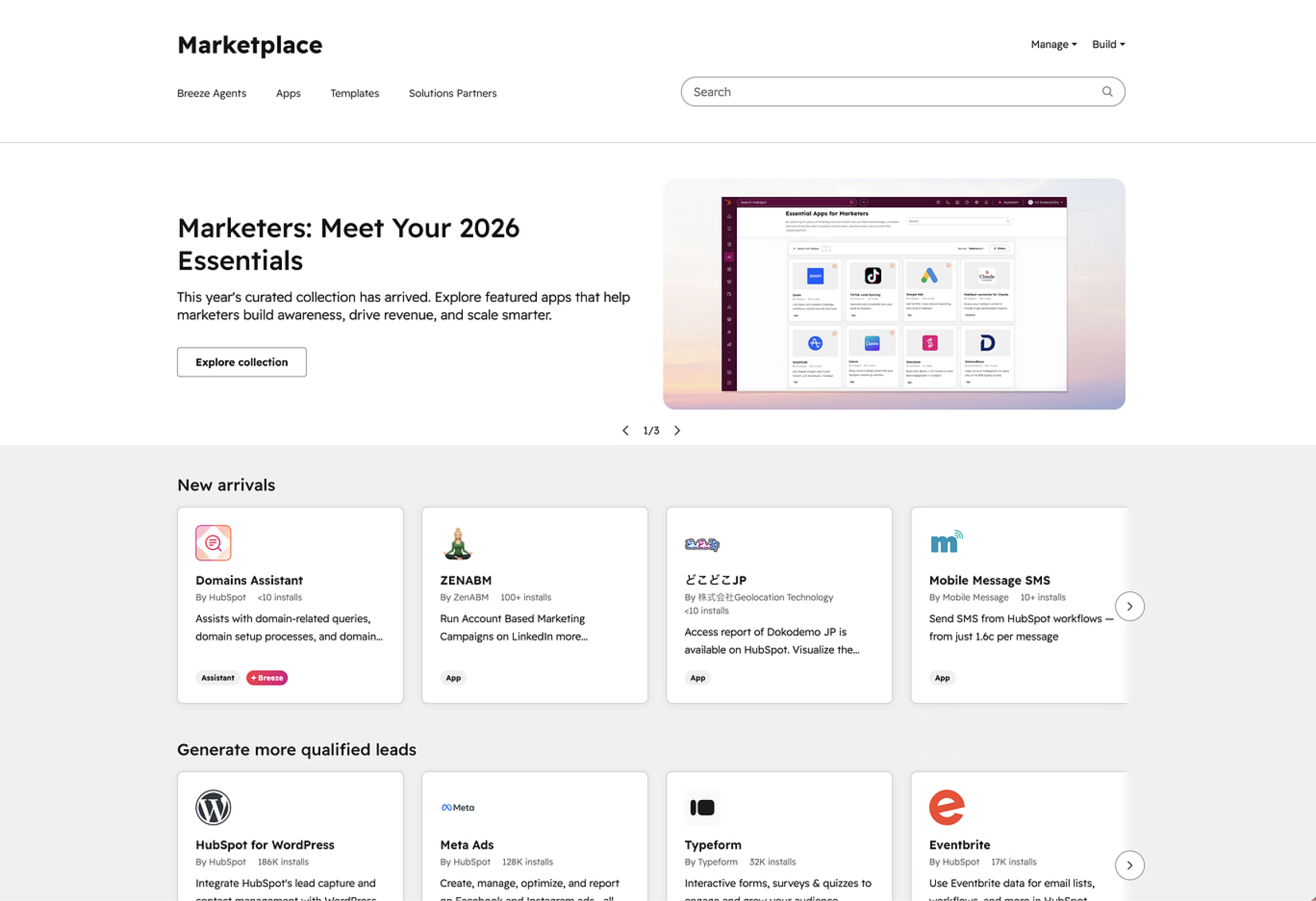
You've got options: a lot of options. The HubSpot App Marketplace now hosts more than 2,000 apps with over 2.5 million active installs, and the average HubSpot customer is running more than five integrations at a time.
That's a lot of connective tissue holding your website, CRM, and downstream systems together — and a lot of opportunities for the wrong integration choice to quietly cost you. So while custom HubSpot integrations take more time to develop, they're sometimes the better choice. The trick is knowing which path to pursue.
We're sharing how we approach HubSpot integrations at Kuno, what to use when, and how our custom approach keeps native integrations from becoming the ceiling your business runs into.
HubSpot Integrations At-a-Glance
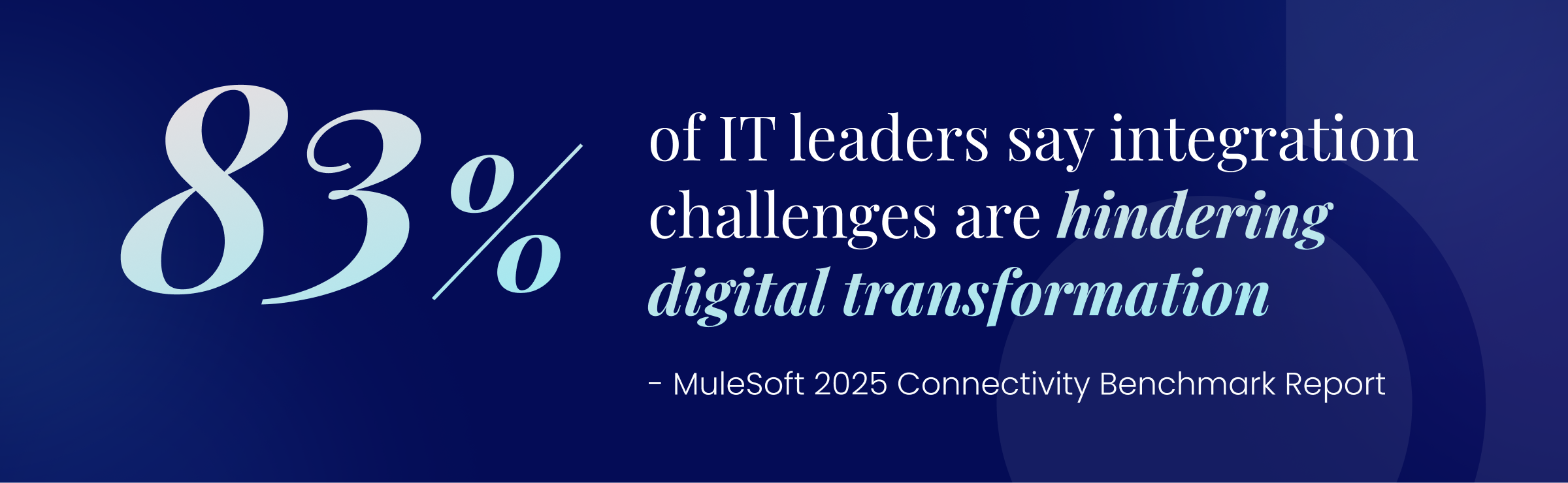
MuleSoft's 2025 Connectivity Benchmark found that the average enterprise runs 897 applications and only 24 percent of them are connected and working together. Everyone knows integration can be hard, but the gap between "connected" and "actually working together" is wider than most teams realize until they're standing in it.
"HubSpot integration" can mean multiple things. Do you choose native? Custom? What you decide affects cost, speed and what you can ask the system to do.
What Counts as a HubSpot Native Integration?
A HubSpot native integration is a pre-built connection between HubSpot and another tool, available through the HubSpot App Marketplace or built directly into CMS Hub. It usually includes:
- App Marketplace integrations built by HubSpot or certified partners
- Built-in CMS Hub integrations for forms, CTAs, chat and analytics
- Preconfigured workflows that sync data between systems on a fixed schedule
Setup is fast, usually a guided OAuth flow that takes anywhere from five to 30 minutes. You don't need a developer. You probably don't even need a meeting, given you have the right admin permissions for both HubSpot and the integration app to complete the installation yourself.
What Is a Custom HubSpot Integration?
A custom HubSpot integration is a purpose-built connection that uses HubSpot API integration patterns to move data, trigger logic or sync external system records in a way native tools can't. They unlock everything native integrations can't reach and require development expertise to build and maintain.
Because they're built from the ground up against your specific requirements rather than a vendor's idea of what a typical customer needs, custom integrations are entirely tailored to the workflow, data shape and business logic you're running.
Custom integrations typically take one of three forms:
- API-based integrations built directly against HubSpot's REST API or private apps
- Middleware (iPaaS) connections using platforms like Workato, Make or Boomi to orchestrate multi-step workflows
- Custom front-end or back-end logic that integrates the website itself — headless setups, gated experiences, dynamic personalization tied to CRM data
Why This Matters for HubSpot Teams
Your HubSpot website is a data collection engine, an application front end and a workflow trigger that fires events into the rest of your business. When a form submission needs to create a lead opportunity, route a Slack notification, update a custom object and kick-off a billing workflow — all in real-time — the CMS Hub integrations sitting under your website are what make or break that experience.
Get it right and your website becomes the revenue engine you've been promising leadership. Get it wrong, and you're patching sync errors at 11 p.m. the night before the campaign launches.
Where HubSpot Native Integrations Shine
Let's give credit where it's due. Native integrations can be the right call in many cases. For example, when you want to simply integrate Zoom webinar registrations with HubSpot so you can automate post-webinar followup.
Here's what a good native integration gets you:
- Faster time to value — measured in hours and days, not weeks
- Lower upfront cost — most are free or included in your HubSpot subscription
- Easier maintenance and updates — the vendor handles API changes, not your team
- Vendor-supported reliability — when something breaks, there's a support team
- Built-in compliance and security — OAuth 2.0, audit trails, and HubSpot's security standards by default
Common High-Value Native Use Cases
If your data model is standard and your workflows are linear, you can build a good amount of operational infrastructure with native integrations alone. The native ecosystem is genuinely excellent for:
- CRM ↔ marketing automation — Mailchimp, ActiveCampaign, Marketo, the whole crowd
- Form and lead capture tools — Typeform, Unbounce, native HubSpot forms
- Webinar and event platforms — Zoom, GoToWebinar, Eventbrite
- Email, chat, and conversational tools — Slack, Gmail, Drift, Intercom
- Analytics and reporting platforms — Google Analytics, Databox, native HubSpot reporting
Signals a Native Integration Is 'Good Enough'
Not every integration deserves a custom build, and treating native as a fallback option sells it short. There's a category of work where a marketplace app is the right answer — fast to deploy, easy to maintain, and good enough to disappear into the background where good infrastructure belongs.
But native integrations should fit the shape of the problem you're actually solving. A native integration is the right answer when:
- Your data model is simple and standardized
- Limited customization is required to fit your workflow
- The risk is low if a sync occasionally fails or lags
- Your team lacks dedicated development resources
- Speed matters more than precision
The Hidden Limits of Native Integrations
Now for the part the marketplace pages don't actively advertise. Native integrations are designed for breadth, not depth. They have to work for thousands of customers with different data models, workflows and definitions of "good enough."
That breadth is what makes them so easy to install. It's also what creates ceilings the moment your business gets specific.
The limits usually show up the same way: not as a dramatic failure, but as a series of small frictions that compound until someone on your team is doing manual cleanup every week to keep the data trustworthy.
The specific issues tend to look like this:
- One-way or shallow data syncs — you can push contacts, but not the custom fields that actually drive your workflows
- Inflexible field mappings — the vendor decides what maps where; you don't
- Delayed sync timing — batch updates every 15 minutes are fine for a newsletter, not for a sales handoff
- Limited error handling or logging — when something fails, you often find out from a complaining sales rep, not a dashboard
- Black-box workflows — you can see what went in and what came out, but not why
Field mapping is where a lot of these limits become visible. Some API providers only expose standard fields to third-party connectors, which means the custom fields your team built the workflow around simply can't move between systems, and no amount of configuration on the HubSpot side will fix that.
Challenges With Native Tools
The ‘easy setup’ of native integrations sometimes masks long-term operational drag. Every workaround stacks on the next until the original integration is buried under three layers of patches nobody documented.
Data then fragments across systems, so the same contact shows up in three slightly different shapes depending on which tool you're looking at. What worked at 5,000 contacts starts breaking at 50,000, not because the integration ‘failed,’ but because it was never built to handle that volume. And as more teams move toward headless or composable architectures, the rigid connectors that worked fine for traditional CMS setups start showing their age.
Gartner has estimated that poor data quality costs organizations at least $12.9 million a year on average (Gartner 2021, based on 2020 research). More recent 2023 Forrester research found that over a quarter of organizations affected by poor data lose more than $5 million annually, with 7 percent losing $25 million or more.

Inconsistency across data sources — what Gartner identified as the most challenging data quality problem facing organizations — stems directly from data being stored and maintained in silos. Those silos can start as well-intentioned native integrations that simply couldn't keep up with the business.
Certain industries hit these ceilings faster than others. Manufacturing teams with complex product configurators, healthcare organizations with HIPAA-bound data flows, and multi-region organizations dealing with localized data residency tend to outgrow native tooling earlier than their SaaS peers.
The pattern is the same in each case: the standard data model that ships with a marketplace app stops being good enough the moment the business has to account for something the vendor didn't anticipate.
When To Build Custom Integrations for HubSpot
Custom isn't a bigger version of native. It's a different category of solution, and it earns its place when the business actually depends on what only a custom build can deliver.
Clear Signals You May Need Custom HubSpot Integrations
If two or more of these apply, stop trying to make middleware do the job:
- Complex or proprietary data models, including custom data objects that don't map cleanly to standard CRM records
- Multi-system workflows triggered by website activity (form fill → CRM → ERP → billing → notification)
- Real-time or near-real-time data requirements — anything where batch syncs introduce business risk
- Security, compliance, or audit needs that require deterministic, logged data movement
- Headless CMS or decoupled front-end architectures
- Revenue or operations depend on data accuracy at a level native error handling can't guarantee
Compliance use cases are a common trigger here. A custom integration can ingest, map and test compliance-related records from bespoke systems or legacy tools that native connectors simply don't recognize, which is often the only path forward for teams in regulated industries with audit obligations.
What Custom Integrations Enable
A well-built custom integration changes what systems can do. You control the end- to- end data flow — exact fields, exact transformations, exact timing — instead of accepting a vendor's defaults.
Custom fields move where they're supposed to, business logic actually matches your workflows and the integration stops pretending your company looks like a generic version of how the vendor assumes B2B companies operate.
Custom builds can also handle the data types unique to your business. Think proprietary product configurations, industry-specific record structures and internal classifications that don't exist in any standard CRM schema.
Performance scales with your volume because the integration was built for your volume. And when something goes wrong, you find out from your monitoring, not from a sales rep on Slack — because retry logic, error logging and alerting were part of the spec.
The downstream effect is what makes the investment pay off. When data flows between systems automatically, your team stops copy-pasting from one tool to another and reconciling mismatched fields at the end of every week. This means fewer human errors and more time spent on work that actually moves the business.
A custom integration becomes a bridge between previously isolated systems, creating a single source of truth where information moves cleanly across the organization instead of getting trapped in silos.
The teams using that data — sales, marketing, customer success or finance — get the information they need to make sharper decisions, instead of working from whichever snapshot their tool happened to sync most recently. And with reliable, integrated data feeding the system, leadership gets comprehensive real-time reports and dashboards they can actually trust when it's time to make a call.
Most importantly, the integration doesn't become the constraint when the business pivots. It bends with you.
Cost vs. Value Reality Check
Custom integrations carry a higher upfront cost. That's real, and we won't pretend otherwise. But the long-term math often tells a different story than the proposal does.
We've seen too many teams spend $30K patching middleware setups that break every quarter when a $40K custom build would have solved the problem permanently. The "cheap" path isn't always the cheap path.
Before your budget gets committed, do a feasibility study to get a clear-eyed look at the technical resources required and the expected ROI. This informs whether the build is the right move, or whether the problem can be solved another way.
A mid-market custom build typically takes two to three months and a meaningful budget — and in exchange, the integration does what you actually need, the first time. Manual cleanup work drops. Errors drop. The number of people doing data triage at the end of every quarter drops.
A few things to plan for on the build side: mapping custom fields between systems is frequently the hardest part of the project, especially when one application's data model doesn't line up cleanly with the other's. Engineers also often have to write complex transformation logic to reshape data on the way through — formatting, normalizing, enriching, or splitting fields so each system receives what it expects.
It's why you can’t skip testing. The only way to know an integration will hold up in production is to put it through realistic conditions before it goes live.
Native vs. Custom HubSpot Integrations: A Side-by-Side Decision Framework
| Criteria | Native Integration | Custom Integration |
|---|---|---|
| Setup speed | Fast (hours to days) | Slower (weeks to months) |
| Flexibility | Limited | High |
| Cost | Low upfront | Higher upfront |
| Maintenance | Vendor-managed | Team or partner-managed |
| Scalability | Moderate | High |
| WebOps alignment | Basic | Strategic |
There is no universal "right" choice between native or custom HubSpot integrations — only the right choice for your specific data, workflows and growth expectations. The best HubSpot instances usually run both, intentionally.
How To Pilot a HubSpot Integration the Right Way
Whether you're going native, custom or somewhere in between, the process is what protects you. Here's the five-step framework our WebOps team uses on every integration project.
Step 1: Define the Business Outcome
Before you talk about tools, talk about outcomes. What problem are you solving? Who depends on this data and what decisions does it inform? An integration without a business outcome is just plumbing — and plumbing nobody asked for is a wasted resource.
Step 2: Map the Data Flow
Draw it out. Source → HubSpot → downstream systems. Note the timing, the trigger, the failure scenarios. If you can't whiteboard the data flow in under 15 minutes, the integration is more complex than the spec admits.
Step 3: Start With a Controlled Scope
Don't migrate everything at once. Pick a limited slice — one segment of traffic, one object type, one team's workflow — and run it long enough to see how it actually behaves in production. Define what success looks like before you start. Define what failure looks like, too.
Step 4: Test, Observe and Document
Monitor sync performance. Validate data integrity against a known source of truth. Capture edge cases as they appear, because they always appear. Document everything: your future self (or your successor) will thank you.
Before any custom integration moves to a live environment, build a rollback plan: a documented way to revert to the previous state if something critical fails on cutover.
Step 5: Decide To Scale or Rebuild
After the pilot, you have three honest options:
- Stay native — the integration is working, scale it as-is
- Extend native — add middleware or Operations Hub rules to fill specific gaps
- Move to custom — the native ceiling is real and the business case for a custom build is now obvious
Notice ‘do nothing and hope’ is not on that list. Whichever path you choose, keep gathering user feedback after deployment. The people working in the integration every day will surface issues and improvement opportunities that no amount of internal testing would have caught.
HubSpot Best Practices for Integrations
A few principles we apply on every HubSpot integration project:
- Treat integrations as products, not plugins. They have users, dependencies, a roadmap and a maintenance budget. Plan accordingly.
- Document ownership and escalation paths. When the integration breaks at 2 a.m., who fixes it?
- Monitor performance and errors. If you're not measuring it, you don't actually know if it's working.
- Plan for change. HubSpot updates, API versioning shifts (the platform moved to date-based API versioning in 2026), evolving business requirements — build with that change in mind.
- Revisit integration decisions annually. The native connector that wasn't good enough five years ago might be perfect today after it got an update. And the custom build you committed to long ago might be due for a rebuild.
The Right Integration Strategy Is Intentional
Native integrations are powerful, but they're not universal. And custom integrations aren't overkill when the business depends on them. The best HubSpot instances don't pick a side; they balance speed and flexibility and bring WebOps into the conversation before the first form gets built.
That last part matters more than anything. The teams that succeed with HubSpot at scale aren't the ones who picked the perfect tool right away. Instead, they treat their integration architecture as a strategic asset, revisit it as the business evolves, and aren't afraid to rebuild when the business outgrows the original spec.
The platform will keep changing and the marketplace will keep growing. The integrations you commit to today will look different in two years whether you plan for that or not.
The difference between a stack that ages well and one that quietly turns into technical debt is almost always whether someone was thinking about it on purpose.
At Kuno, this is the work we do every day, helping HubSpot-powered businesses build custom integrations and right-size native ones into tech stacks that scale with the business instead of against it. If you're staring at a stack that's almost-but-not-quite working, that's usually a sign your integration strategy needs a fresh look.


Caren Merida